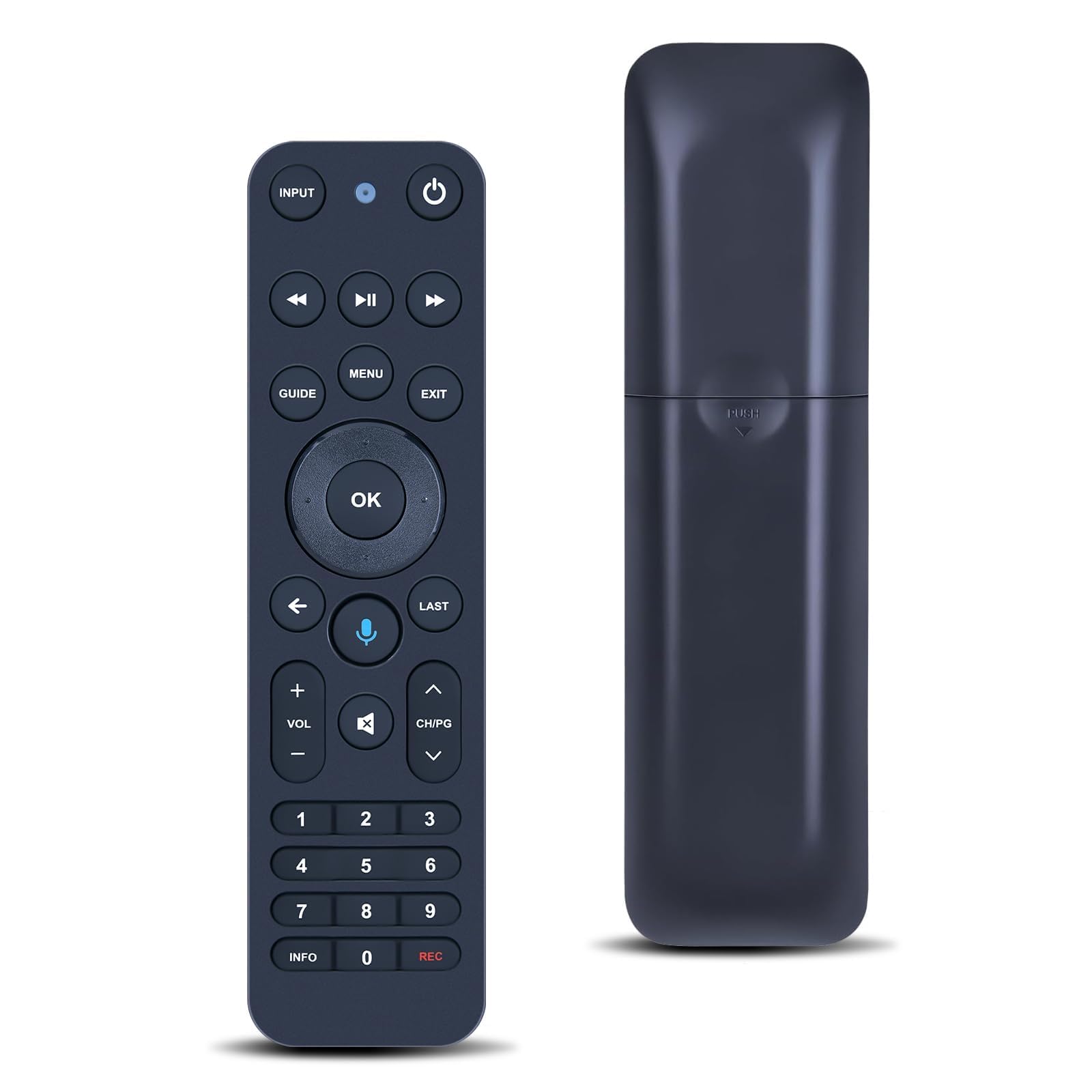
MOVHEIYL Replacement Voice Remote Control for Verizon FiOS TV One – Compatible with 2019 MG3-R32140B & VRC4100 BLE
About this item
- •Compatible with Verizon FiOS TV One Models: 2019 - MG3-R32140B VRC4100 BLE NOTE - ❎NOT work Frontier. ✅ Work with Verizon)
- •How to Pair:1, Press and hold the [Play/Pause] and [0] buttons at the same time for 3 seconds. 2, Release the buttons when the blue light starts flashing on the remote. 3, When the blue light stops flashing, your voice remote is connected, paired and ready for use
- •Using your voice remote Control your TV or Audio, Option 1: ①, Go to Menu > Settings > Voice control > Fios TV Voice Remote > Program Voice Remote > Automatic Setup. ②, Once the automatic setup completes you’ll see a “Success” message in the top right of the TV screen. Option 2: ①,Go to Menu > Settings > Voice control > Fios TV Voice Remote > Program Voice Remote > Manual Setup. ②,Select your TV or Receiver Brand and Model and follow the steps. ③,You will see a “Success” message in the top right of the TV screen when the setup is complete
- •【High Quality】:Made of High Quality ABS material, which is resistant to falling and has no peculiar smell, Built to Last for Long Lasting Use, and also keeps you and your children away from harm.
- •【Easy to use】:Easy to Pairing or setup, After inserting the battery(Not included), Simply follow the pairing steps until successful, and it will perfectly replace your original remote
- •【Premium After-sale】:We provide a 1 year warranty return service. If you have any questions about your order, please feel free to contact us directly and we will get back to you within 12 hours.

What stands out
Compatible with Verizon F...
Compatible with Verizon FiOS TV One Models: 2019 - MG3-R32140B VRC4100 BLE NOTE - ❎NOT work Frontier. ✅ Work with Verizon)
How to Pair:1, Press and ...
How to Pair:1, Press and hold the [Play/Pause] and [0] buttons at the same time for 3 seconds. 2, Release the buttons when the blue light starts flashing on the remote. 3, When the blue light stops flashing, your voice remote is connected, paired and ready for use
Using your voice remote C...
Using your voice remote Control your TV or Audio, Option 1: ①, Go to Menu > Settings > Voice control > Fios TV Voice Remote > Program Voice Remote > Automatic Setup. ②, Once the automatic setup completes you’ll see a “Success” message in the top right of the TV screen. Option 2: ①,Go to Menu > Settings > Voice control > Fios TV Voice Remote > Program Voice Remote > Manual Setup. ②,Select your TV or Receiver Brand and Model and follow the steps. ③,You will see a “Success” message in the top right of the TV screen when the setup is complete
Product details
| ASIN | B0FZ9FPT78 |
| Brand | MOVHEIYL |
| Manufacturer | MOVHEIYL |
| Color | Black |
| Product Group | Electronics |
| Number of Items | 1 |
| Package Weight | 0.09 kg (91 g) |
| Package Dimensions | 17.4 x 4.7 x 2.8 cm |
| Date First Listed | Nov 3, 2025 |
| Best Seller Rank | #17,905 in Remote Controls |
Best Seller Rankings
Related products
Based on category · Electronics › Television & Video › Accessories › Remote Controls